 Mochi Mimi
A tiny friend who lives on your screen.
Mochi Mimi walks along your windows, naps when she’s sleepy, dances when your music plays and works little jobs to earn coins. Keep her fed and happy, and she’ll keep you company all day.
No ads. Her progress saves automatically, and is backed up online when you sign in.

She has a little life of her own
Mochi isn’t a screensaver: she lives on top of everything you do, wanders about, and reacts to you. She only knows two words, and she’ll say them in every way possible.

Wanders your desktop
She walks along the bottom of your screen, hops up onto your windows, climbs their edges and sits on top to watch you work.

Dances to your music
Put on a song and she’ll start dancing along to the beat, with the occasional twirl.

Naps when she’s sleepy
Working is tiring! When her energy runs low she curls up for a nap and wakes with a big yawn and a stretch.

Says “Mochi Mimi!”
Her real voice, happy, sleepy, cross or flustered… but always her own name. Plus gasps, giggles, yawns and a rumbly tummy.
Work, eat, play, nap… repeat
Mochi earns her own coins. You decide how to spend them: snacks keep her healthy, toys keep her happy, and a happy, healthy Mochi works harder and unlocks better jobs.

Work
Give her a job and she’ll keep at it, earning coins as she goes.

Eat
Spend coins in the snack shop to fill her tummy. Working makes her hungry!

Play
Buy her toys and she’ll play with them on her own. Playing keeps her mood up.
Nap
When she’s worn out she sleeps by herself and wakes up recharged, ready to work again.
↻ Save up for better jobs, tastier snacks and new toys
Keep an eye on her meters
Hover over her (or tap her on your phone) to see how she’s doing. Mochi’s Room shows the full picture.
Hunger
Goes down over time, faster while she works. Snacks fill it back up. Let it run out and she’ll collapse until you feed her.
Mood
Head pats, treats and toys make her happy. She gets bored if she hasn’t played in a while, and very sad when she’s starving.
Energy
Used up by working. She looks after this one herself: when she’s tired, she takes a nap.
A hungry, sad or sleepy Mochi works at half speed, and a starving one won’t earn anything at all, so it pays to look after her!
From homework to livestreaming
She starts out studying. Save up coins to unlock new jobs: each one pays more than the last.
Study
Homework at her little desk, thinking very hard about sums.

Sweep the floor
Broom in hand, she tidies along the bottom of your screen.

Go fishing
She sits on a log by her pond and waits for a bite. Rare fish pay extra… and sometimes it’s just an old boot.
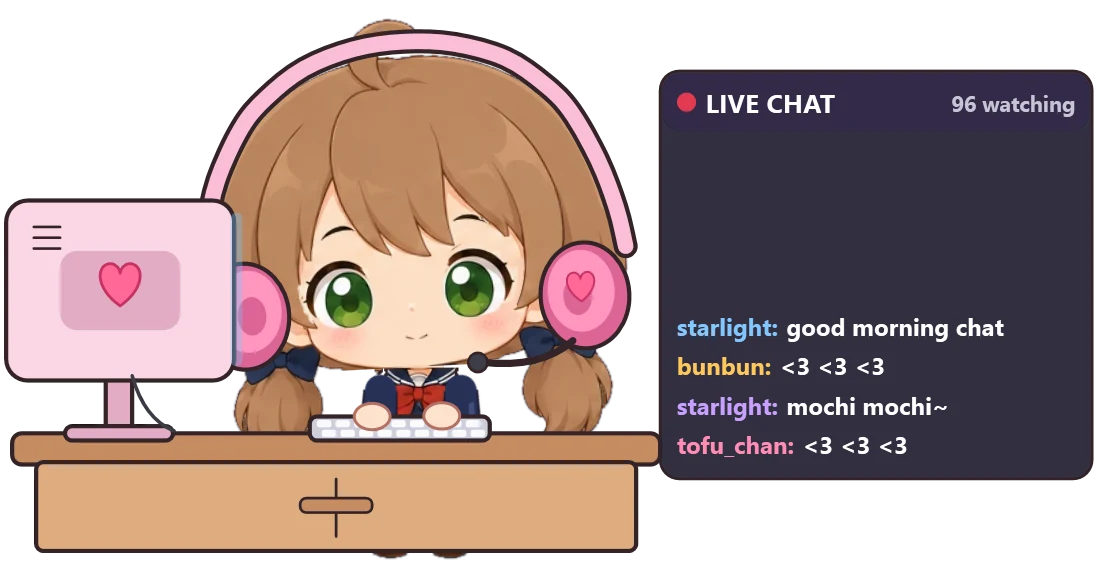
Livestream
Headset on, chat scrolling, viewers sending hearts and tips. The best-paying job of all.
Nine snacks, from berries to mochi
Three starter snacks are always in stock. Unlock the rest with coins: bigger meals fill her up more, and sweets cheer her up. Her favourite? Mochi, of course.
 Strawberry+6 food · +6 mood15Starter
 Apple+10 food · +3 mood25Starter
 Cookie+15 food · +4 mood35Starter
 Chocolate+8 food · +14 mood50Unlock for 200
 Chicken Tender+28 food · +8 mood80Unlock for 350
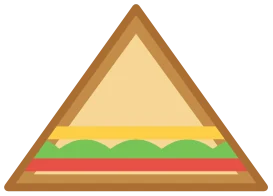 Sandwich+40 food · +8 mood110Unlock for 500
 Pizza+45 food · +14 mood140Unlock for 800
 Burger+55 food · +12 mood170Unlock for 1,100
 Mochi+45 food · +30 mood250Unlock for 1,600
Toys keep her smiling
She plays with her toys whenever she likes, or right away when you ask. Every toy has its own little animation.

Crayons
She draws a picture, then proudly turns it round to show you.
Starter toyBouncy ball
Boing, boing, boing! Simple fun that never gets old.
300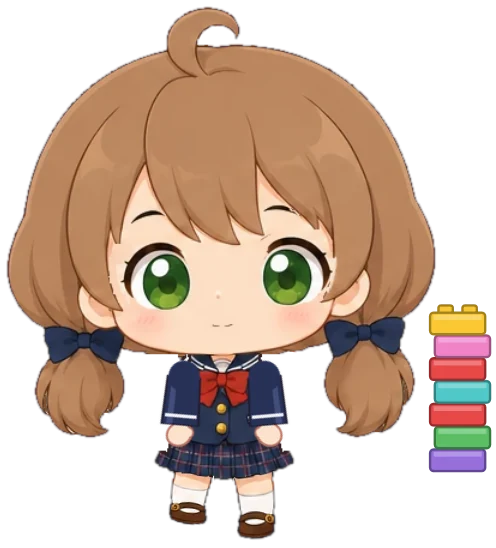
Lego set
She stacks bricks into a wobbly tower and cheers when it’s done.
800
Game console
Her own handheld, complete with beeps, boops and victory jingles.
1,500She loves attention (mostly)
- 🤚Rub her head for patsShe giggles and hearts float up… but too many and she gets flustered, then cross.
- 👉Poke herA surprised gasp, a giggle, a twirl, or a very confused “?”. You never know which!
- ✋Pick her upDrag her anywhere on screen (“Waah!”) and let go to watch her tumble back down.
- 💬Open her menuRight-click her on Windows, or press and hold on your phone, to feed her, give her jobs and more.
 Head pats
 Feed me…Nom nom!Mochi Mimi!
Bring her home
One purchase gets you both versions. Download them again whenever you like from your account, and her progress is saved online so you never lose her.
Windows
- Windows 10 or 11 (64-bit)
- Nothing to install: unzip and double-click MochiMimi.exe
- Lives in your system tray; right-click her for her menu
- Optional: start her with Windows
Android
- Android 8.0 or newer, on a 64-bit phone
- Floats over your home screen and other apps
- Press and hold her for her menu
- Optional: let her out when your phone starts
How to install on Android
- Open the downloaded MochiMimi-Android-v1.0.apk.
- Android will ask you to allow installs from your browser or file app. That’s normal for any app from outside the Play Store: allow it.
- If Google Play Protect offers to scan the app, let it. It will confirm the app is safe.
- Open Mochi Mimi, tap Give permission and switch on “Display over other apps” so she can float on your screen.
- Tap Let Mochi out! and say hello.
Windows and Android, one purchase
Both versions, re-downloads any time, and cloud saves so you never lose her.
Buy Mochi MimiAlready bought her? Sign in to download
Good to know
Will she get in the way?
She’s small, she only catches clicks on herself, and you can change her size (on Windows), mute her, or put her away any time from her menu or the tray icon.
What happens when I close her?
She says goodbye, walks out through a little door, and saves everything. When you bring her back she’s exactly as fed and happy as you left her, and well rested.
Can she… die?
Never. If you forget to feed her she’ll get very hungry and eventually collapse, but a snack brings her right back.
Her needs drop too fast (or too slow)!
Mochi’s Room has a Needs speed setting: relaxed, normal or demanding.
Android says it doesn’t recognise the app. Is it safe?
Yes. Android shows that for apps installed from outside the Play Store that it hasn’t seen before. Let Play Protect scan it and it will confirm the app is safe. Mochi only asks for permission to display over other apps (so she can float on your screen) and to show a notification (Android requires one for apps that stay on screen).
What if I delete the app or get a new computer or phone?
Nothing is lost. Sign in on this website to download her again, then sign in to Cloud save in Mochi’s Room and she comes back with all her coins, unlocks and toys.
Does she work without the internet?
Yes. The internet is only used for cloud saves when you’re signed in: she keeps playing offline and catches up next time you’re connected. No ads, no tracking: see the Privacy Policy.
Can I get a refund?
Yes: if Mochi doesn’t work on your device and we can’t fix it, email us within 30 days for a full refund. See the refund terms for the details (including the 14-day cancellation right in the EU, EEA and UK).